Build your plan
Your first funeral home, chapel, or mortuary location is $479/month and includes the first extension. Each additional extension at that location is $29/month. Prices exclude applicable taxes and fees.
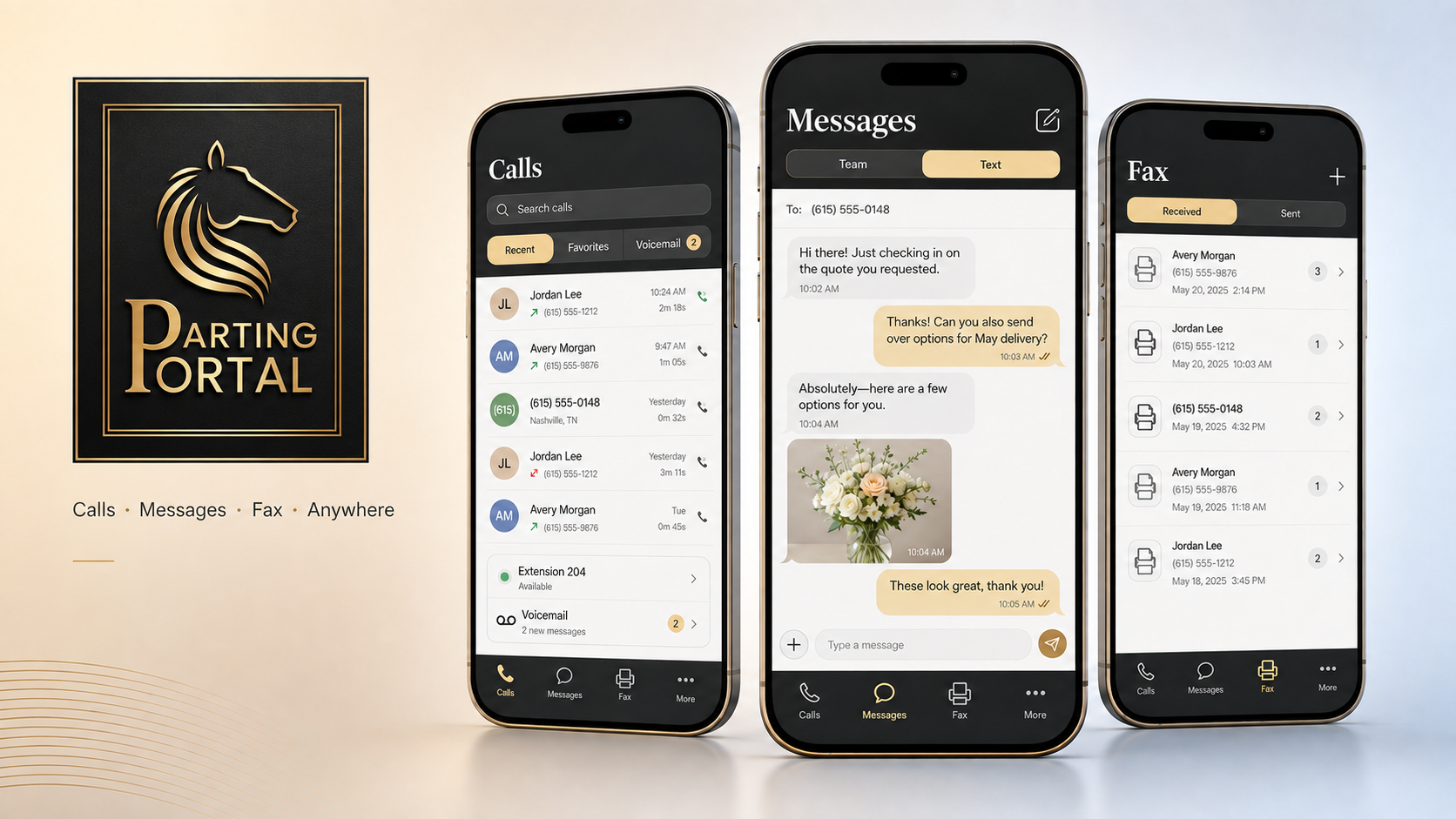
The Parting Portal Phone System is built for funeral homes, mortuary services, crematories, and removal teams. Directors and on-call staff can answer every location through the browser, mobile app, or optional desk phones—then call families, text, check voicemail, and manage fax lines wherever service takes them.
Questions before you get started? Call 866-254-3303.
No desk phone purchase is required. Every paid extension includes the web phone and mobile app. Keep your existing voice and fax numbers or request new ones during the guided signup.
Built by the funeral industry, for the funeral industry. We understand directors, removal teams, mortuary services, after-hours coverage, and multi-location work.
Explore sample funeral-home calls, family messages, fax, settings, and Technology Support using safe demonstration information. Nothing is sent and no phone call is placed.
Parting Portal hosts and manages the phone system, so your funeral home or mortuary service does not need an on-site phone server. Choose your locations and extensions, decide how directors and on-call staff answer, and we guide the setup. There is no on-site phone server to maintain.
Your first funeral home, chapel, or mortuary location is $479/month and includes the first extension. Each additional extension at that location is $29/month. Prices exclude applicable taxes and fees.
Keep your existing voice and fax numbers with free number porting, or choose new numbers.
Let each director, arranger, or on-call staff member use the included web phone and mobile app. Add optional desk or cordless phones only where they make sense.
Your setup specialist helps configure extensions, voicemail, after-hours routing, fax, SMS/MMS, and your number transition so everyone knows exactly what happens next.
Manage every assigned funeral home, chapel, or mortuary location from your phone. Choose which locations send you calls, switch incoming calls on or off, or forward after-hours coverage to your answering service with a flip of a switch—from anywhere.
A slow front-desk computer, a missed software update, or a device that fails during an arrangement can turn a small issue into a location-wide interruption. Technology Support gives your location remote monitoring and a real help desk with experienced technicians—before your team has to become the IT team.
Cover up to 10 computers at each location, with remote assistance plus phone and email support when your staff needs a person.
| Computer | Role | Connection | Status |
|---|---|---|---|
| Front Desk 01 | Reception | Online | Managed |
| Arrangement Room | Family care | Online | Managed |
| Director Laptop | Director | Online | Managed |
| Bookkeeping | Office | Online | Review update |
Practical coverage for the computers your staff relies on and a direct path to people who know how to help.
Keep the computers assigned to your location visible, including connection and management status, so issues have a better chance of being noticed before they become a larger disruption.
Let an experienced technician work through many computer problems without waiting for an on-site visit or pulling a director away from a family.
Reach a real help desk when talking through the issue is the fastest way forward. Requests are handled with quick responses and clear next steps.
Send the details, screenshots, or questions your team already has and keep a written thread for problems that do not need a phone call.
This is practical, human problem-solving—not generic script reading. Our technicians investigate, explain, and work toward a resolution your staff can understand.
One unavailable workstation can delay paperwork, interrupt a family conversation, or pull a director away from the work only they can do. Put a support plan in place before the next problem chooses the timing for you.
Start with the Phone System for funeral-home voice, web and mobile calling, fax, and family SMS/MMS. The Phone System is $479/month for the first location and $379/month for each additional location. Add managed Technology Support for $379/month for the first enrolled location and $329/month for each additional enrolled location. Together, both services are $858/month for the first location and $708/month for each additional location.
Voice prices exclude applicable taxes and fees, which vary by each location’s service address and state and local requirements.
A complete funeral-service communications system built to follow directors, arrangers, removal staff, and office teams from the desk phone to the browser and mobile app.
Practical IT support from US-based technicians and remote monitoring for up to 10 devices at each enrolled location. Additional enrolled locations are $329/month each.
Parting Portal Case Management brings family portals, arrangements, payments, documents, e-signatures, obituaries, and staff coordination into one connected experience. It is available by waitlist while the Phone System and Technology Support are available now.
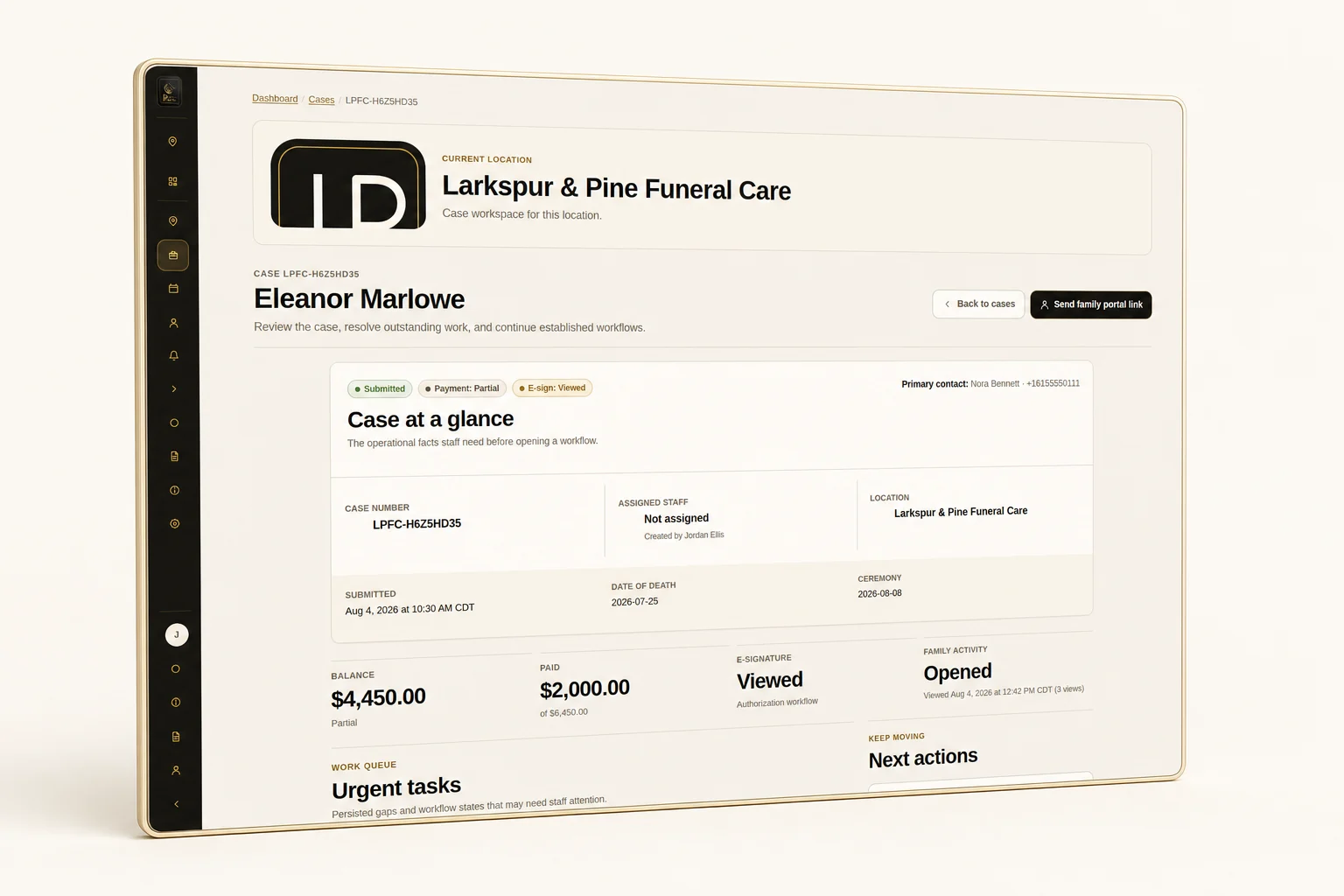
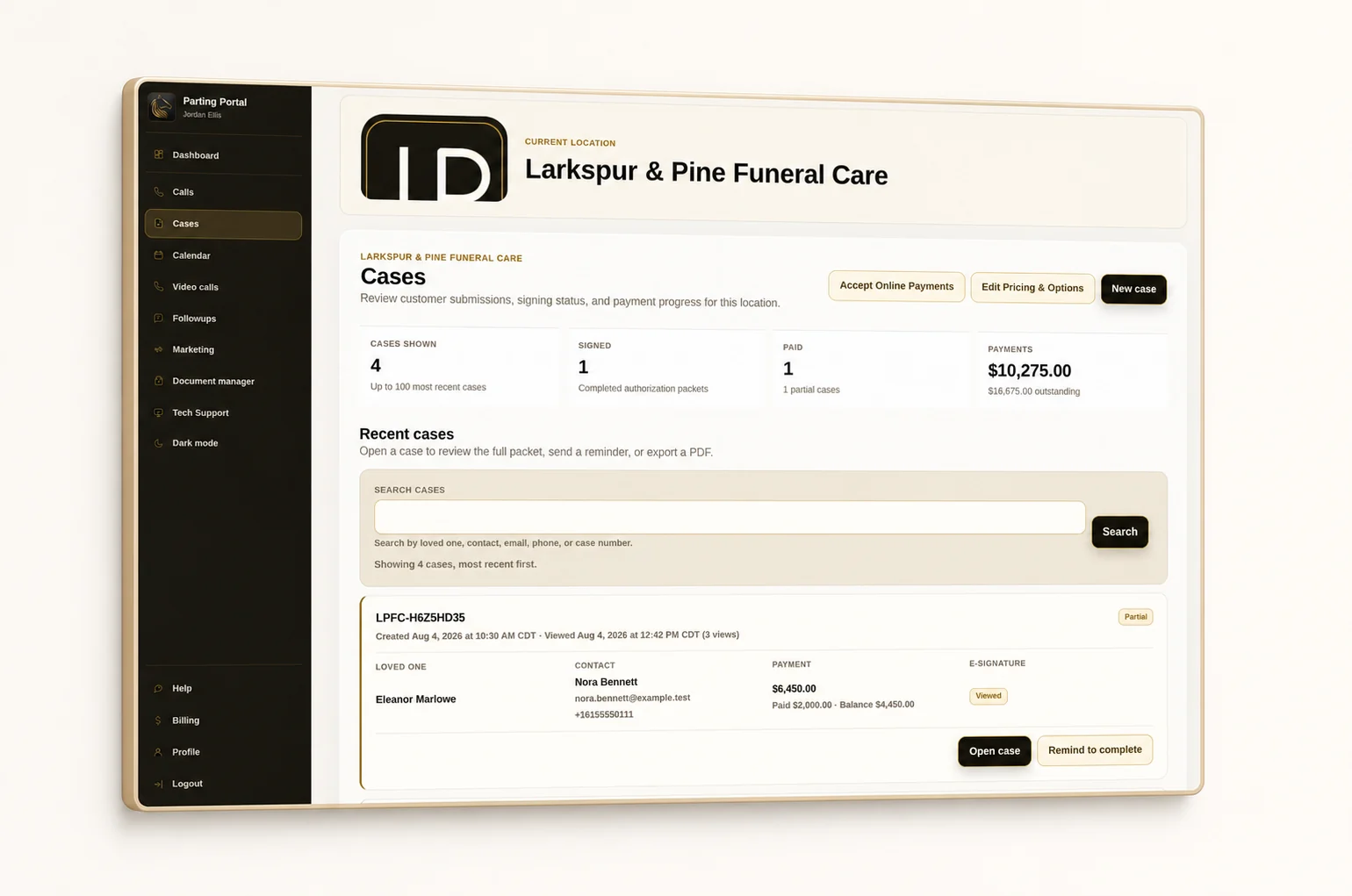
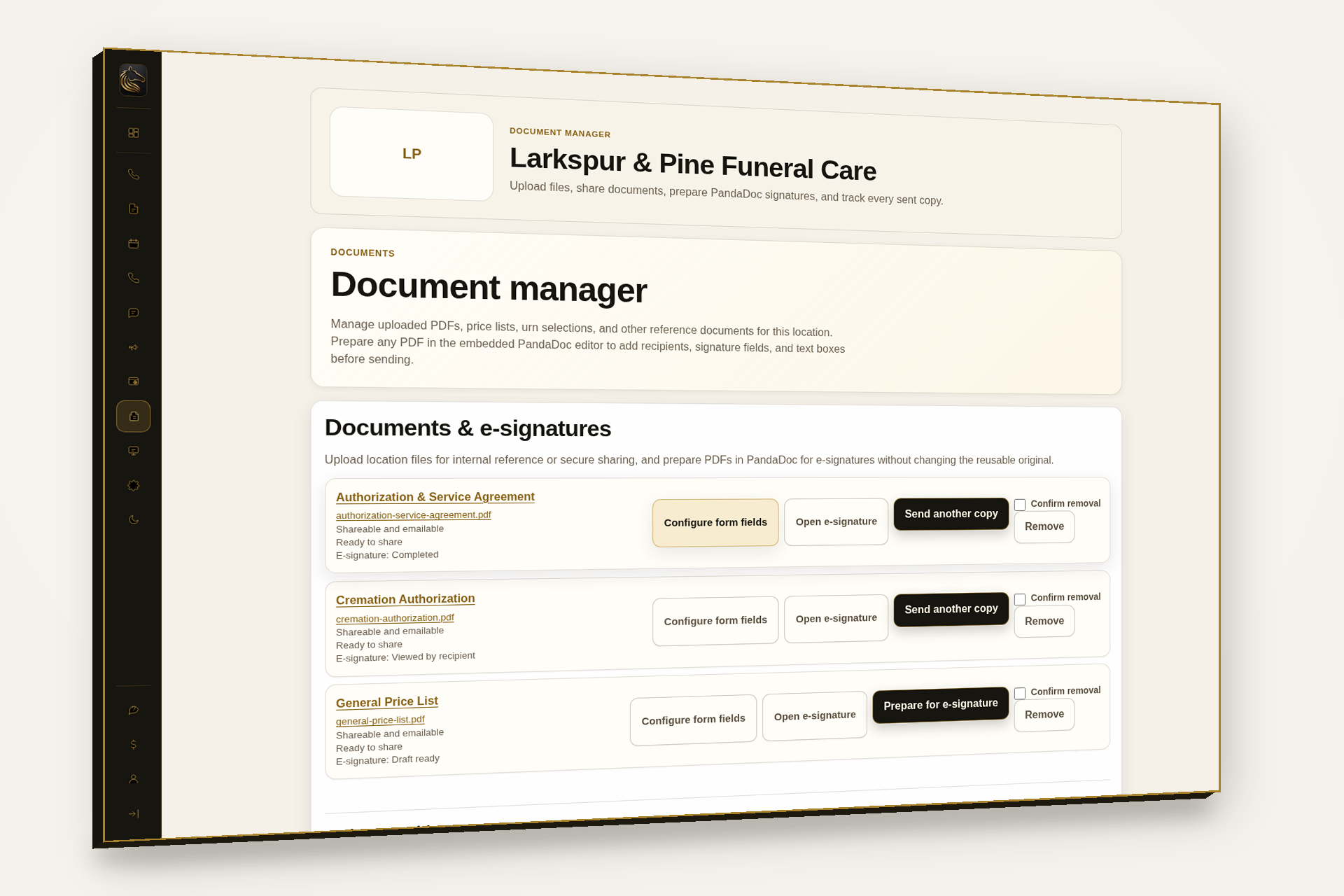
Something powerful is coming for funeral professionals: one connected workspace to guide every family and an intelligent answering service ready to support every call, day or night. Join the list for early access, behind-the-scenes previews, and a front-row seat at launch.
The Phone System and Technology Support are available now, separately or together. Case Management and AI Answering Service are offered through our early-access waitlist.
The first funeral home, chapel, or mortuary location is $479/month; each additional location is $379/month and includes one extension. Each additional extension is $29/month. Prices exclude applicable taxes and fees. Review your itemized order before payment.
Advertised voice prices exclude applicable taxes and fees. These vary by each location's service address and the federal, state, and local requirements that apply to its services. Locations in different jurisdictions may have different charges. Provide the physical address where service will be used; contact our team if you have questions about your location.
No. Each paid extension includes the browser phone and Parting Portal mobile app. Choose a web phone, mobile app, desk phone, or cordless phone for each director, arranger, or staff member. Hardware is optional.
Yes. When a family calls through your location's answering-service routing, authorized staff can listen live in the Parting Portal mobile app. Use barge-in to join the conversation, or Take over when the family needs a director. Your administrator controls who has access. Parting Portal AI Answering remains an early-access service.
Yes. Number porting is free, including eligible toll-free numbers. We confirm transfer eligibility and coordinate the switch with you. Keep your funeral home's current service active until we confirm the transfer is complete.
One fax line is included. Send and receive faxes from the web interface or mobile app, and scan documents with your phone camera. A compatible fax adapter lets you use an existing fax machine. Staff messaging and family or business SMS/MMS keep funeral-home conversations together; texting is activated after the required registration is approved.
Our team reviews your order, confirms your funeral home's numbers and setup details, and helps configure each location. We agree on a go-live plan with you. Payment reserves your order; phone service is ready after setup and any number transfers are complete.
Yes. For funeral home, chapel, or mortuary locations assigned to you, turn incoming calls on or off and switch main-number forwarding remotely. You can forward after-hours coverage to an existing answering service; our AI Answering Service is a separate early-access product.
Remote monitoring and help from US-based technicians for up to 10 computers and devices per enrolled funeral-service location. The first enrolled location is $379/month and each additional enrolled location is $329/month. Choose it with the Phone System for a combined $858/month for the first location and $708/month for each additional location. We help connect the computers your directors and staff rely on to your support workspace.
Absolutely. Use our contact form, choose phone or email, and tell us about your funeral home or mortuary service. A Parting Portal team member will follow up. You can also call 866-254-3303.
Still have a question? Request a callback or email reply.
Tell us about your funeral home, mortuary service, or removal operation. We can help with phone service, fax, family messaging, number transfers, after-hours routing, or Technology Support. Prefer to call? Reach our team at 866-254-3303.

See the Phone System, family SMS/MMS, fax, the web phone, and mobile calling with a product specialist—or reserve early access to Case Management and AI Answering Service.
Questions? Call 866-254-3303.